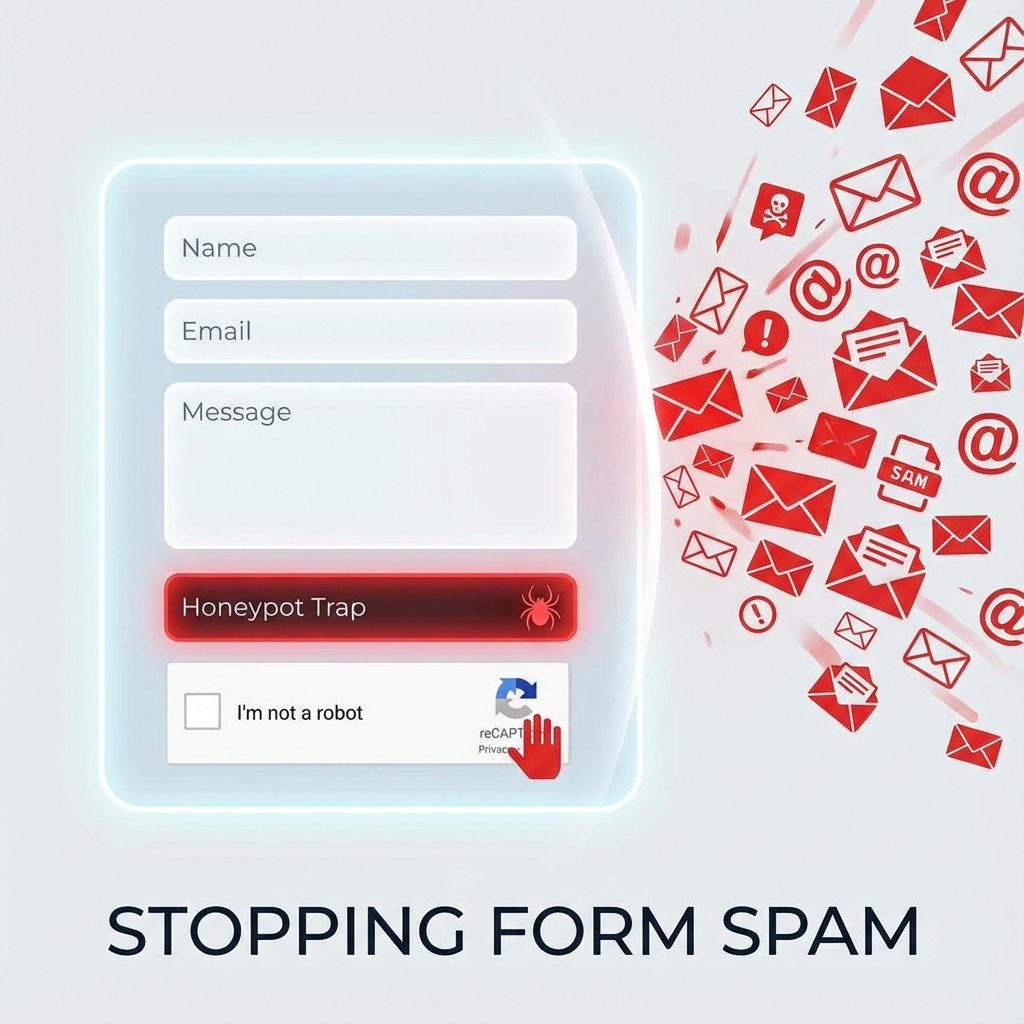
The contact form on a client’s site was getting 200+ spam submissions daily. Their initial solution
was adding the most aggressive CAPTCHA available—image challenges requiring users to identify
traffic lights, buses, and crosswalks across multiple rounds. Spam dropped dramatically. So did
legitimate submissions—conversions fell 40%. They’d solved the spam problem by making the form
unusable.
Form spam is a real problem. It wastes time, clutters databases, buries legitimate inquiries, can get
your mail server blacklisted, and sometimes carries malicious payloads. But the cure can be worse
than the disease if anti-spam measures frustrate real users.
This guide covers spam prevention techniques that actually work without driving away legitimate
visitors. You’ll learn to implement invisible protections like honeypots and timing checks that stop
most bots with zero user friction, add reCAPTCHA v3 for invisible scoring of sophisticated bots, and
layer defenses appropriately for your specific spam volume. The goal is maximum spam blocking with
minimum user impact.
Understanding Form Spam
Form spam isn’t a single problem—it’s several different problems with different solutions.
Understanding what you’re fighting helps you choose appropriate countermeasures.
Types of Form Spam
Bot spam is the most common form. Automated scripts crawl the web looking for forms and submit
templated content—usually promotional text with links. These bots are usually unsophisticated,
filling every field they find and submitting instantly. Basic protections stop them.
Targeted bot spam uses bots specifically configured for your form. They might know your field names,
respect some validation, and delay submission to appear human. These require more sophisticated
detection.
Manual spam comes from humans paid to submit promotional content. They solve CAPTCHAs, fill forms
appropriately, and include spam content that looks somewhat relevant. Content filtering and
moderation are the main defenses here.
Comment spam floods blog posts with SEO link spam. It’s a specific form of bot spam targeting
WordPress comments and similar systems. Dedicated solutions like Akismet exist for this category.
Credential stuffing uses bots to test stolen username/password combinations on login forms. The goal
isn’t spam content but account access. Login limiting and 2FA are the primary defenses.
The Damage Spam Causes
Beyond the obvious annoyance of sifting through junk, spam has concrete costs.
Email reputation suffers when spam content flows through your contact forms. If your server sends
emails containing spam keywords, reputation systems may blacklist you, affecting delivery of all
your email including legitimate responses.
Database bloat accumulates when spam submissions are stored. A site logging 100 spam submissions
daily accumulates 36,000+ garbage records annually, affecting backup sizes and query performance.
Missed leads happen when real inquiries get lost in spam. If your team ignores the contact form
because it’s 95% spam, they’ll miss the 5% that’s genuine business.
Security vulnerabilities can come through forms. Spam bots sometimes test for injection
vulnerabilities, and successful injections compromise your site. Even failed attempts fill logs and
waste resources.
Honeypot Fields: The Zero-Friction Defense
Honeypots are the most user-friendly anti-spam technique—completely invisible to humans while
irresistible to bots.
How Honeypots Work
A honeypot is a form field that’s hidden from users via CSS but visible in the HTML source. When bots
scrape your form, they find the honeypot and fill it like any other field. Humans, who can’t see the
field, leave it empty. If the honeypot contains data on submission, you know it’s from a bot.
The elegance is that users never interact with honeypots. There’s no checkbox to click, no challenge
to solve, no friction whatsoever. Legitimate users don’t even know it exists.
Effective Honeypot Implementation
Create a honeypot field with a tempting name. Bots look for standard field names, so use something
like “website_url” or “email_address”—fields that bots would naturally want to fill. Give it a
realistic label in the HTML so bots “see” context.
Hide the field using CSS that moves it off-screen rather than display:none. Some bots check for
display:none and skip those fields; position:absolute with negative left value is more reliable.
Also add aria-hidden=”true” for screen reader accessibility and tabindex=”-1″ so keyboard users
don’t tab into it.
On submission, check if the honeypot has content. If it does, reject the submission silently—don’t
tell the bot what caught it. Return a success message or generic error to avoid helping bot
operators debug their scripts.
Honeypot Limitations
Honeypots catch unsophisticated bots that fill every field. Targeted bots configured specifically for
your form might recognize and skip honeypots. Some sophisticated bots even check CSS to avoid hidden
fields.
Honeypots also don’t help with manual spam—humans don’t fill hidden fields because they can’t see
them, but humans submitting spam manually won’t trigger honeypot detection.
Despite these limitations, honeypots block enough spam to be worth implementing on every form. They
stop the low-hanging fruit with zero user cost.
Time-Based Validation
Bots submit forms almost instantly—they fill fields and submit within milliseconds of loading the
page. Humans take time to read, think, and type. This difference is exploitable.
Minimum Time Check
Record when the form page loads (via hidden timestamp field or session variable). On submission,
calculate elapsed time. If the form was submitted within, say, three seconds of loading, it’s almost
certainly a bot—no human reads and fills a form that fast.
The threshold depends on your form complexity. A simple two-field form might be filled in 5 seconds
legitimately; a complex application form might take minutes. Set the threshold reasonably below the
minimum human time.
Maximum Time Check
Optionally reject forms submitted very long after loading—hours or days later. This catches scenarios
where bots harvest form pages, then submit later from different infrastructure. A one-hour
expiration is reasonable for most forms; longer for complex applications.
Secure Timestamp Implementation
A simple hidden timestamp field can be modified by bots—they could adjust the timestamp to appear to
have taken longer. For stronger protection, use server-side session storage for the form load time,
or encrypt/sign the timestamp so modifications are detectable.
Even unencrypted timestamps help because most bots don’t bother adjusting timestamps. They’re written
for speed and simplicity, not for bypassing time checks. The protection isn’t perfect but catches
many bots.
reCAPTCHA Implementation
Google’s reCAPTCHA is the most widely used CAPTCHA system, but implementation matters enormously for
user experience.
reCAPTCHA Versions Compared
reCAPTCHA v2 “I’m not a robot” shows a checkbox that users must click. Sometimes additional
challenges appear—selecting images containing specific objects. It’s effective against bots but
introduces friction that reduces conversions.
reCAPTCHA v2 Invisible triggers challenges only for suspicious visitors. Most users proceed without
seeing anything; only probable bots face image challenges. Better UX than the checkbox version.
reCAPTCHA v3 is completely invisible. It runs in the background, analyzes user behavior (mouse
movements, typing patterns, browsing history), and returns a score from 0.0 (likely bot) to 1.0
(likely human). No user interaction required.
reCAPTCHA Enterprise adds additional features for high-volume applications, including better bot
detection and mobile-specific protections. It’s a paid service.
Why v3 Is Usually Best
reCAPTCHA v3 provides bot detection without requiring user action. There’s no checkbox, no image
selection, no barriers to form submission. Users don’t even know it’s there.
You receive a score and decide how to handle it. For a low score (suspicious), you might reject
submission, show a v2 challenge for verification, flag for manual review, or apply additional
validation. This flexibility lets you tune the tradeoff between blocking bots and potentially
blocking legitimate users.
Implementing reCAPTCHA v3
Include the reCAPTCHA script with your site key in the page head. On form submission, execute
reCAPTCHA to get a token, add the token to your form data, then submit.
Server-side, verify the token with Google’s API. The response includes success status, action name,
score (0.0-1.0), and timestamp. Verify the action matches what you expect (prevents token reuse
across different forms) and that the score meets your threshold.
A threshold of 0.5 is commonly recommended—scores above 0.5 are likely human. You can adjust based on
your spam volume: lower threshold accepts more submissions but may let bots through; higher
threshold blocks more bots but may reject legitimate users.
Handling Low Scores
Rather than hard-rejecting low-scoring submissions, consider fallback strategies. Show a reCAPTCHA v2
challenge for verification—genuine users can pass it; bots fail. Flag submissions for manual review
rather than auto-reject. Apply additional validation like email confirmation. These approaches let
legitimate users with low scores complete their submission while still blocking most bots.
Content-Based Filtering
Sometimes spam gets through technical measures. Content analysis provides an additional layer by
identifying spam patterns in the actual submission.
Spam Indicators
Multiple URLs are a strong spam signal. Legitimate contact form messages rarely contain more than one
or two links; spam often contains many. Counting URLs and rejecting or flagging submissions with
excessive links catches a lot of spam.
Spam keywords like “viagra,” “casino,” “cryptocurrency,” and similar terms rarely appear in
legitimate business inquiries. A keyword blacklist catches common spam topics. Keep the list
focused—false positives from overly broad lists frustrate users.
Character sets can indicate spam. Forms in English receiving submissions in Cyrillic or other scripts
might be spam (unless you have an international audience). Similarly, excessive special characters
or unusual Unicode are suspicious.
All-caps text and poor grammar are spam indicators, though harder to check programmatically and prone
to false positives from users with various writing styles.
Implementing Content Filters
Build filters that check for spam indicators without being overly aggressive. Count URLs and flag
submissions with more than two or three. Check against a focused keyword list. Consider flagging
rather than rejecting edge cases—let humans decide if it’s really spam.
Log what triggers filters so you can refine them. If legitimate submissions get caught, adjust the
rules. If spam gets through, analyze what it has in common and add appropriate checks.
External Spam Detection Services
For comment spam, Akismet (included with WordPress) provides excellent detection using machine
learning trained on millions of spam samples. It’s free for personal sites and reasonably priced for
commercial use.
Antispam Bee is a privacy-focused alternative that doesn’t send data to external servers, using local
pattern matching instead.
For custom forms, services like CleanTalk or Zero Spam provide API-based spam detection similar to
Akismet’s approach.
Rate Limiting
Even spam that passes all other checks can be limited by restricting how rapidly forms can be
submitted.
IP-Based Rate Limiting
Track submissions per IP address. If an IP submits more than a reasonable number within a time window
(say, 5 submissions per hour), block further submissions temporarily.
Rate limiting doesn’t stop the first spam submissions but prevents flood attacks where bots submit
hundreds of times. It also limits damage from sophisticated bots that bypass other protections.
Implementation Considerations
Shared IP addresses are common—corporate networks, apartment buildings, and some mobile carriers put
many users behind one IP. Set limits high enough that legitimate use from shared IPs isn’t blocked.
Ten submissions per hour is likely fine; two submissions per day is probably too restrictive.
Provide clear feedback when rate limited. Display remaining cooldown time so users know when they can
retry. Don’t silently fail—that frustrates legitimate users who don’t understand why their
submission didn’t work.
Consider higher limits for logged-in users. If someone has an account, they’re more likely to be
legitimate and can tolerate higher submission rates without abuse concern.
Layered Defense Strategy
No single technique stops all spam. Layering multiple protections creates defense in depth where spam
must evade every layer to succeed.
Recommended Layer Stack
Layer 1: Honeypot catches basic bots with zero friction. Virtually all unsophisticated bots that fill
every field are caught here. Cost: none. Effectiveness against basic bots: very high.
Layer 2: Time-based validation catches instant-submission bots that honeypots might miss. Bots that
don’t fill all fields might skip the honeypot but still submit too quickly. Cost: none.
Effectiveness: medium-high.
Layer 3: reCAPTCHA v3 provides invisible scoring against sophisticated bots that evade honeypots and
time checks. AI-analysis of behavior patterns catches bots that mimic human timing. Cost: slight
performance impact from Google script. Effectiveness: high.
Layer 4: Content filtering catches spam that passes technical checks—either from sophisticated bots
or manual submission. Analyzing content for spam patterns provides a safety net. Cost: processing
time. Effectiveness: medium against bots, helpful against manual spam.
Layer 5: Rate limiting prevents abuse even when other layers fail. If a bot beats all checks, rate
limiting ensures it can only submit a few times before being blocked. Cost: negligible.
Effectiveness: prevents flood abuse.
Adjusting for Spam Volume
Not every site needs every layer. A personal blog with minimal traffic might only need honeypots. A
high-traffic commercial site might need all layers plus manual review of flagged submissions.
Start with low-friction protections (honeypot, timing). If spam persists, add reCAPTCHA v3. If you’re
still getting spam, add content filtering and rate limiting. Only add visible CAPTCHAs (v2 checkbox)
as a last resort or as fallback for failed v3 checks.
WordPress-Specific Solutions
WordPress sites have spam protection options built into forms and the ecosystem.
Comment Spam
WordPress comments are constant spam targets. Akismet, bundled with WordPress, provides excellent
protection by checking comments against its spam database. Enable it on any blog allowing comments.
Comment moderation settings (requiring approval for comments with links, holding first-time
commenters for review) add additional protection. Consider closing comments on old posts—spam often
targets archives.
Form Plugin Protection
Major form plugins include anti-spam features. Contact Form 7 integrates with Akismet and supports
reCAPTCHA. WPForms has built-in honeypot protection and reCAPTCHA integration. Gravity Forms
includes an anti-spam honeypot field and supports CAPTCHA add-ons. Enable these features rather than
relying solely on manual protections.
Login Protection
WordPress login forms face credential stuffing attacks. Limit Login Attempts Reloaded or similar
plugins block IPs after failed login attempts. Adding reCAPTCHA to the login form stops most
automated attacks. Changing the login URL (with WPS Hide Login or similar) reduces automated attacks
targeting /wp-login.php.
Testing and Monitoring
Spam protection isn’t set-and-forget. Monitor what’s getting through and what might be blocking
legitimate users.
Logging What Gets Blocked
Log blocked submissions with information about which layer caught them. This shows which protections
are working and whether any are unnecessary. If honeypots catch 90% of attempts, other layers are
backup; if they catch nothing, something might be wrong.
Checking for False Positives
Occasionally review blocked submissions for false positives—legitimate users caught by spam
protection. If real contacts are being blocked, adjust thresholds. Consider a moderation queue for
edge cases rather than hard rejection.
Tracking Spam Evolution
Spam tactics evolve. What works today might not work tomorrow as bot operators adapt. Periodically
review what spam is getting through and whether your protections need updating.
Conclusion
Effective spam protection layers invisible techniques that stop bots without affecting users.
Honeypots and time checks cost nothing in user experience while blocking most basic spam. reCAPTCHA
v3 adds invisible protection against sophisticated bots. Content filtering and rate limiting provide
safety nets for what gets through.
Avoid aggressive visible CAPTCHAs unless absolutely necessary—they reduce conversions more than they
reduce spam. When CAPTCHA challenges are needed, use them as fallback for suspicious submissions
rather than default for everyone.
The goal is stopping spam while making legitimate form submission seamless. With the layered approach
in this guide, you can achieve both.

admin
Tech enthusiast and content creator.