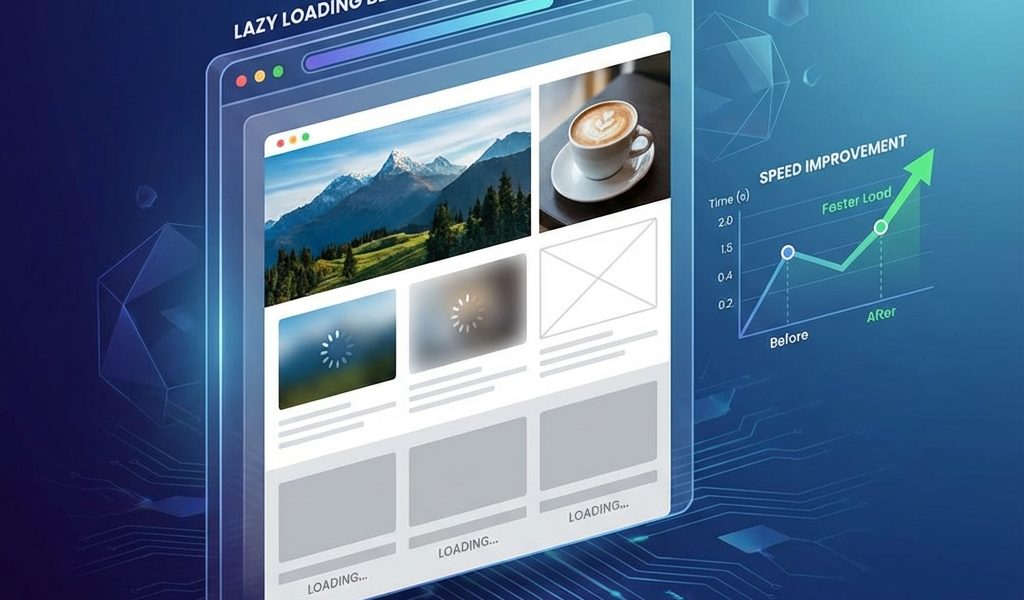
I still remember the day Google announced that Core Web Vitals would become a ranking factor. Like many developers, I scrambled to audit my sites, only to find that my “optimized” image loading strategy was actually hurting my Largest Contentful Paint (LCP) scores. I had applied lazy loading to everything—including the hero image at the top of the page. That single mistake cost me 0.8 seconds in load time and a significant drop in traffic until I figured it out.
Lazy loading is one of those technologies that seems simple on the surface—”don’t load images until the user sees them”—but is surprisingly nuanced in practice. In 2025, with native browser support standard and Core Web Vitals strictly enforced, the “install a plugin and forget it” approach is no longer sufficient.
The Evolution of Lazy Loading: From JavaScript to Native
Understanding where we are requires a quick look at where we came from. For years, we relied on heavy JavaScript libraries like lazysizes.js. Today, native lazy loading (loading="lazy") is supported by all major browsers. It hands the logic off to the browser itself, which is far more efficient. However, WordPress default implementation isn’t perfect.
The Golden Rule: Above the Fold vs. Below the Fold
If you take only one thing from this guide, let it be this: Never lazy load your Largest Contentful Paint (LCP) element.
The LCP element is usually the featured image or hero background. If you lazy load this, the browser waits for the HTML to download, parses it, sees the attribute, parses layout, and THEN starts the download. This delay is catastrophic for performance.
Implementing Advanced Lazy Loading Strategies
Here is the configuration I deploy on high-traffic publisher sites:
- Threshold Tuning: Set this to 300px-500px. Too low and users see blank space; too high and you waste bandwidth.
- CSS Placeholders: Use dominant color placeholders instead of blurry LQIP to save CPU.
- Iframes: Always lazy load YouTube embeds using a “Facade” pattern (static image first).
Troubleshooting Common Issues
The White Band Effect: Users scroll and see white gaps. Fix: Increase your threshold or improve server TTFB.
Safari Issues: Images showing as question marks. Fix: Usually a CORS issue with CDNs. Check your Access-Control-Allow-Origin headers.
Conclusion
By relying on native support, carefully excluding above-the-fold content, and using facades for video, you create a site that feels instantaneous. Lazy loading in 2025 is standard infrastructure, but it requires calibration to work perfectly.
I still remember the day Google announced that Core Web Vitals would become a ranking factor. Like many developers, I scrambled to audit my sites, only to find that my “optimized” image loading strategy was actually hurting my Largest Contentful Paint (LCP) scores. I had applied lazy loading to everything—including the hero image at the top of the page. That single mistake cost me 0.8 seconds in load time and a significant drop in traffic until I figured it out.
Lazy loading is one of those technologies that seems simple on the surface—”don’t load images until the user sees them”—but is surprisingly nuanced in practice. In 2025, with native browser support standard and Core Web Vitals strictly enforced, the “install a plugin and forget it” approach is no longer sufficient.
The Evolution of Lazy Loading: From JavaScript to Native
Understanding where we are requires a quick look at where we came from. For years, we relied on heavy JavaScript libraries like lazysizes.js. Today, native lazy loading (loading="lazy") is supported by all major browsers. It hands the logic off to the browser itself, which is far more efficient. However, WordPress default implementation isn’t perfect.
The Golden Rule: Above the Fold vs. Below the Fold
If you take only one thing from this guide, let it be this: Never lazy load your Largest Contentful Paint (LCP) element.
The LCP element is usually the featured image or hero background. If you lazy load this, the browser waits for the HTML to download, parses it, sees the attribute, parses layout, and THEN starts the download. This delay is catastrophic for performance.
Implementing Advanced Lazy Loading Strategies
Here is the configuration I deploy on high-traffic publisher sites:
- Threshold Tuning: Set this to 300px-500px. Too low and users see blank space; too high and you waste bandwidth.
- CSS Placeholders: Use dominant color placeholders instead of blurry LQIP to save CPU.
- Iframes: Always lazy load YouTube embeds using a “Facade” pattern (static image first).
Troubleshooting Common Issues
The White Band Effect: Users scroll and see white gaps. Fix: Increase your threshold or improve server TTFB.
Safari Issues: Images showing as question marks. Fix: Usually a CORS issue with CDNs. Check your Access-Control-Allow-Origin headers.
Conclusion
By relying on native support, carefully excluding above-the-fold content, and using facades for video, you create a site that feels instantaneous. Lazy loading in 2025 is standard infrastructure, but it requires calibration to work perfectly.
I still remember the day Google announced that Core Web Vitals would become a ranking factor. Like many developers, I scrambled to audit my sites, only to find that my “optimized” image loading strategy was actually hurting my Largest Contentful Paint (LCP) scores. I had applied lazy loading to everything—including the hero image at the top of the page. That single mistake cost me 0.8 seconds in load time and a significant drop in traffic until I figured it out.
Lazy loading is one of those technologies that seems simple on the surface—”don’t load images until the user sees them”—but is surprisingly nuanced in practice. In 2025, with native browser support standard and Core Web Vitals strictly enforced, the “install a plugin and forget it” approach is no longer sufficient.
The Evolution of Lazy Loading: From JavaScript to Native
Understanding where we are requires a quick look at where we came from. For years, we relied on heavy JavaScript libraries like lazysizes.js. Today, native lazy loading (loading="lazy") is supported by all major browsers. It hands the logic off to the browser itself, which is far more efficient. However, WordPress default implementation isn’t perfect.
The Golden Rule: Above the Fold vs. Below the Fold
If you take only one thing from this guide, let it be this: Never lazy load your Largest Contentful Paint (LCP) element.
The LCP element is usually the featured image or hero background. If you lazy load this, the browser waits for the HTML to download, parses it, sees the attribute, parses layout, and THEN starts the download. This delay is catastrophic for performance.
Implementing Advanced Lazy Loading Strategies
Here is the configuration I deploy on high-traffic publisher sites:
- Threshold Tuning: Set this to 300px-500px. Too low and users see blank space; too high and you waste bandwidth.
- CSS Placeholders: Use dominant color placeholders instead of blurry LQIP to save CPU.
- Iframes: Always lazy load YouTube embeds using a “Facade” pattern (static image first).
Troubleshooting Common Issues
The White Band Effect: Users scroll and see white gaps. Fix: Increase your threshold or improve server TTFB.
Safari Issues: Images showing as question marks. Fix: Usually a CORS issue with CDNs. Check your Access-Control-Allow-Origin headers.
Conclusion
By relying on native support, carefully excluding above-the-fold content, and using facades for video, you create a site that feels instantaneous. Lazy loading in 2025 is standard infrastructure, but it requires calibration to work perfectly.

admin
Tech enthusiast and content creator.