It started on a Tuesday morning. My server monitoring dashboard lit up red—CPU usage had spiked to 100%, yet traffic analytics showed zero legitimate visitors. I tried to log in to my WordPress admin panel, but the page timed out. I ssh’ed into the server and checked the logs. What I saw was terrifying: 40,000 login attempts per minute targeting the admin user.
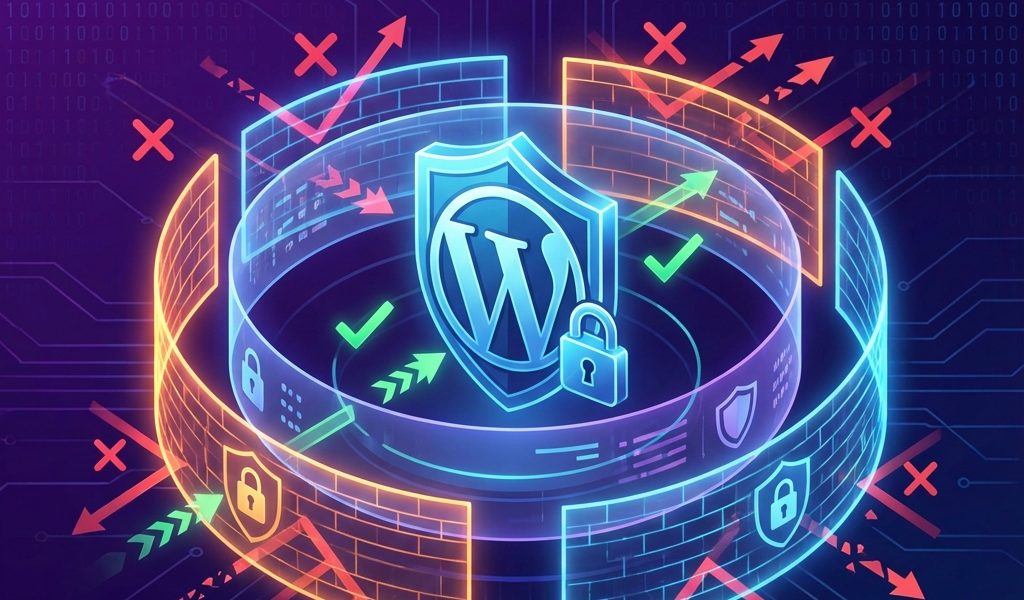
That incident taught me a lesson I now teach every client: Passwords protect accounts, but login strategies protect servers. In this guide, I will walk you through the defense-in-depth strategy I use to secure high-value WordPress sites against brute force attacks.
Understanding the Anatomy of a Brute Force Attack
Modern attacks are Distributed (thousands of IPs), Smart (using dictionary attacks from leaks), and Relentless. The goal isn’t just to keep them out; it’s to stop them BEFORE your database wastes resources checking the password.
Layer 1: The Basics (Plugin Level)
- Limit Login Attempts: Lock out IPs after 3 failed attempts for 24 hours.
- 2FA: Time-based One-Time Passwords (TOTP) are non-negotiable for admin accounts.
Layer 2: Obscurity (Changes to Workflow)
Change WP-Admin URL: Changing /wp-admin to /secret-login stops 99% of dumb bots. It reduces log noise significantly.
Disable XML-RPC: If you don’t use the mobile app or Jetpack, disable this. Attackers use the system.multicall method to try 500 passwords in one HTTP request.
Layer 3: The Nuclear Option (Server Level)
Cloudflare WAF: Create a firewall rule to “Managed Challenge” anyone visiting /wp-login.php. This kills bot traffic at the edge.
Fail2Ban: On a VPS, use Fail2Ban to scan logs for 403 errors and update IP tables to ban attackers at the packet level.
Conclusion
Start with a strong password and 2FA. Add a login limiter. Finally, if you value performance, move defense to the edge with Cloudflare. Don’t wait for that panic call—secure your login door today.
It started on a Tuesday morning. My server monitoring dashboard lit up red—CPU usage had spiked to 100%, yet traffic analytics showed zero legitimate visitors. I tried to log in to my WordPress admin panel, but the page timed out. I ssh’ed into the server and checked the logs. What I saw was terrifying: 40,000 login attempts per minute targeting the admin user.
That incident taught me a lesson I now teach every client: Passwords protect accounts, but login strategies protect servers. In this guide, I will walk you through the defense-in-depth strategy I use to secure high-value WordPress sites against brute force attacks.
Understanding the Anatomy of a Brute Force Attack
Modern attacks are Distributed (thousands of IPs), Smart (using dictionary attacks from leaks), and Relentless. The goal isn’t just to keep them out; it’s to stop them BEFORE your database wastes resources checking the password.
Layer 1: The Basics (Plugin Level)
- Limit Login Attempts: Lock out IPs after 3 failed attempts for 24 hours.
- 2FA: Time-based One-Time Passwords (TOTP) are non-negotiable for admin accounts.
Layer 2: Obscurity (Changes to Workflow)
Change WP-Admin URL: Changing /wp-admin to /secret-login stops 99% of dumb bots. It reduces log noise significantly.
Disable XML-RPC: If you don’t use the mobile app or Jetpack, disable this. Attackers use the system.multicall method to try 500 passwords in one HTTP request.
Layer 3: The Nuclear Option (Server Level)
Cloudflare WAF: Create a firewall rule to “Managed Challenge” anyone visiting /wp-login.php. This kills bot traffic at the edge.
Fail2Ban: On a VPS, use Fail2Ban to scan logs for 403 errors and update IP tables to ban attackers at the packet level.
Conclusion
Start with a strong password and 2FA. Add a login limiter. Finally, if you value performance, move defense to the edge with Cloudflare. Don’t wait for that panic call—secure your login door today.
It started on a Tuesday morning. My server monitoring dashboard lit up red—CPU usage had spiked to 100%, yet traffic analytics showed zero legitimate visitors. I tried to log in to my WordPress admin panel, but the page timed out. I ssh’ed into the server and checked the logs. What I saw was terrifying: 40,000 login attempts per minute targeting the admin user.
That incident taught me a lesson I now teach every client: Passwords protect accounts, but login strategies protect servers. In this guide, I will walk you through the defense-in-depth strategy I use to secure high-value WordPress sites against brute force attacks.
Understanding the Anatomy of a Brute Force Attack
Modern attacks are Distributed (thousands of IPs), Smart (using dictionary attacks from leaks), and Relentless. The goal isn’t just to keep them out; it’s to stop them BEFORE your database wastes resources checking the password.
Layer 1: The Basics (Plugin Level)
- Limit Login Attempts: Lock out IPs after 3 failed attempts for 24 hours.
- 2FA: Time-based One-Time Passwords (TOTP) are non-negotiable for admin accounts.
Layer 2: Obscurity (Changes to Workflow)
Change WP-Admin URL: Changing /wp-admin to /secret-login stops 99% of dumb bots. It reduces log noise significantly.
Disable XML-RPC: If you don’t use the mobile app or Jetpack, disable this. Attackers use the system.multicall method to try 500 passwords in one HTTP request.
Layer 3: The Nuclear Option (Server Level)
Cloudflare WAF: Create a firewall rule to “Managed Challenge” anyone visiting /wp-login.php. This kills bot traffic at the edge.
Fail2Ban: On a VPS, use Fail2Ban to scan logs for 403 errors and update IP tables to ban attackers at the packet level.
Conclusion
Start with a strong password and 2FA. Add a login limiter. Finally, if you value performance, move defense to the edge with Cloudflare. Don’t wait for that panic call—secure your login door today.

admin
Tech enthusiast and content creator.